
Lecture
The first lecture of the University Preparation Course (UPC) for course UPC0004 informs you about the ground rules when attending lectures. These rules include not talking while the teacher is and there is to be no food in the lecture rooms. These rules are simple common courtesy.
This lecture also went into detail about what should be done to make university run smoothly and minimize confusion. By visiting blackboard at http://myecu.edu.au you can read through the main points told in the lectures. This can be very helpful if you are unable to attend lectures or became confused with what was being said in the lectures. Its also noted that keeping medical certificates can become essential if your attendance gets questioned, as you need to be in tutorials 90% of the time in order to pass the course. Some other helpful advice given in this lecture is to put your ID on thumbdrives and when emailing use your full name and student ID.
UPC0004: Assessment – journal (learning log), is the first assessment. This assessment will be extremely beneficial when exam time comes as this assessment will aid in studying. The task is to complete an online blog detailing the main points of the lecture and tutorial for UPC0004, and a brief summery will also need to be completed on each of the readings. As well as a written criteria, needs there is a technical side to the assessment which needs to be adhered to. Workshop tasks will need to be completed and understood to be able to include them in the blog.
Both aspects of this assessment needs a high level of concentration in both the lectures and work shops to be able to complete this assessment successfully.
Workshop
Week ones workshop is very useful as you are taught how to use the ECU website efficiently. You are taught how to use blackboard, how to save work in you ECU portfolio, how to get into SIMO, where to go to print out lecture and tutorial notes and also the readings, and other areas which you, as a university student will need through out your years of study. The first tutorial activity is creating a user account at Blogger.com. Blogger.com is a site where you create blogs for other users to view and comment. A blog is basically an online diary where you can write anything you wish, this may include news on a particular subject such as television, politics or even just about your life and anything you want to share with people. A blog generally includes written text, pictures relating to the subject at hand and hyperlinks. The blogs produced for this course should be about the UPC0004 lectures, tutorials and readings, and the pictures and hyperlinks should be of the work related to the workshop.
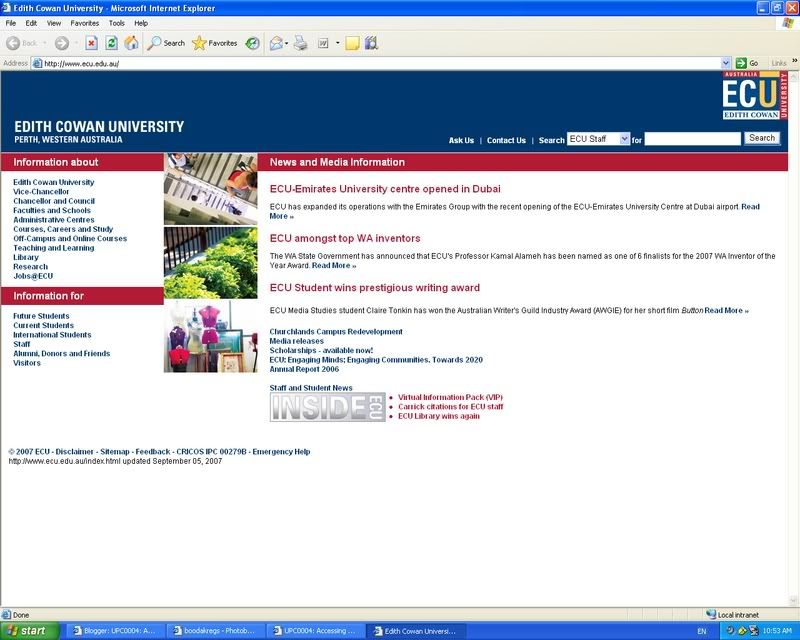
Below is an example of a screen shot
Readings
Each week students should go to the UPC0004 lectures, tutorials and should also download the extra readings to get maximum understanding of the course. The readings can be found in the UPC0004 section in SIMO, were the lecture and tutorial print outs are located. The readings are important as they give you extra information about the course, computer activities and basic information on comprehending computers. For week one the first reading was "Welcome to PC Lube and Tune", which is on a website. The introduction stated that the site is to "supply usable introductions, tutorials and education on the technical subjects to the large audience of computer users". Beneath the introduction is fifteen different sub headings and a summery. Some of the sub headings are "An Introduction to PC Hardware", " The Graphic User Interface" and "Technical Perspective on The Microsoft Antitrust Case". These subheadings are actual articles which can be located by simply clicking on the link. The summaries which follow the subheadings are a brief outline of the full article. From reading the summaries it is easy to find an article you are looking for, as you don’t have to read each full article before realising if the article is useful or not. I found that the articles on "Welcome to PC Lube and Tube" require a, some what advanced knowledge of computers to understand the articles. However the second reading on How Stuff Works requires little to no understanding of computers. The website www.howstuffworks.com has instructions of how to turn on a computer, diagrams of the main parts to a computer, summaries of computer terminology, and videos such as how to put RAM into a computer and how to turn a computer on and off. This is an ideal website for people beginning to use computers.

No comments:
Post a Comment